
Download twibble desktop – Twitter, desktop, free, utility, productivity, tool, update, feed, manage, access
Overview
twibble desktop is a lightweight desktop application designed to enhance the Twitter experience for users who prefer managing their social presence directly from their computer. Built for Windows, this utility enables seamless access to Twitter feeds without the need to open a web browser, offering a faster and more integrated way to stay updated. The app caters to individuals who maintain active Twitter accounts—whether for personal communication, professional branding, or content sharing—and seeks to streamline the process of monitoring and engaging with real-time updates.
Its primary purpose is to simplify Twitter interaction by providing direct desktop access, reducing reliance on browser tabs and enabling quicker navigation between tweets, profiles, and media. The application supports multiple account management, which is particularly useful for users balancing personal and professional identities on the platform. This feature allows for efficient switching between accounts without repeated logins, improving workflow for social media managers, content creators, and active tweeters.
Although the developer did not provide additional technical details, the app’s release date of February 2, 2008, indicates it has been in use for over 15 years, suggesting long-term stability and user trust. It holds a niche position in the productivity software ecosystem as a dedicated Twitter tool, offering a streamlined alternative to browser-based access. Its free pricing model makes it accessible to a broad audience, reinforcing its role as a utility for those seeking efficient, no-cost social media management.
Key Features & Functionality
- Desktop Accessibility: twibble desktop allows users to access Twitter directly from their computer’s desktop environment, eliminating the need to launch a web browser. This provides faster access to feeds and reduces system resource usage compared to full browser sessions.
- Multiple Account Management: Users can manage several Twitter accounts simultaneously, enabling quick switching between personal and professional profiles. This is ideal for individuals who maintain distinct online identities.
- Customizable Update Frequency: The app lets users set how often the feed refreshes, allowing for personalized notification pacing. This helps prevent information overload while ensuring timely updates.
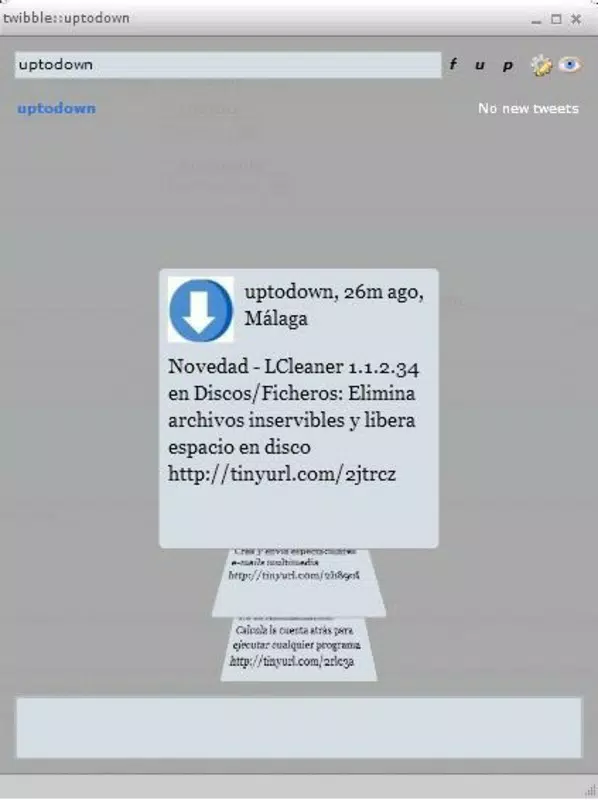
- Coverflow-like Visual Effect: Navigation through tweets and media features a dynamic coverflow-style animation, enhancing visual appeal and making content exploration more engaging.
- Free to Use: The application is available at no cost, making it an accessible option for users seeking a lightweight Twitter client without financial commitment.
For example, a social media manager could use twibble desktop to monitor multiple client accounts, adjust refresh intervals to avoid distractions during work hours, and navigate through media-rich tweets with smooth animations. Similarly, a content creator might use the app to quickly check trending topics and respond in real time, all from a dedicated desktop window.
Interface, UX & Performance
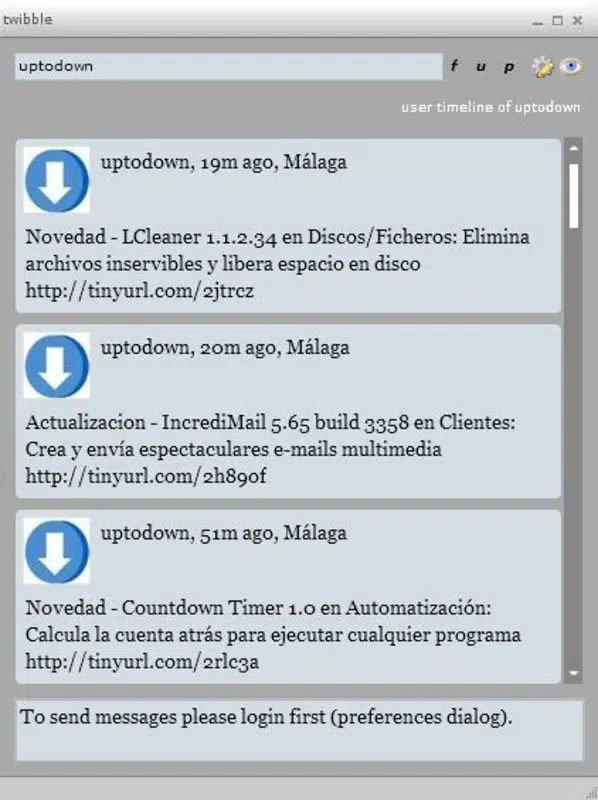
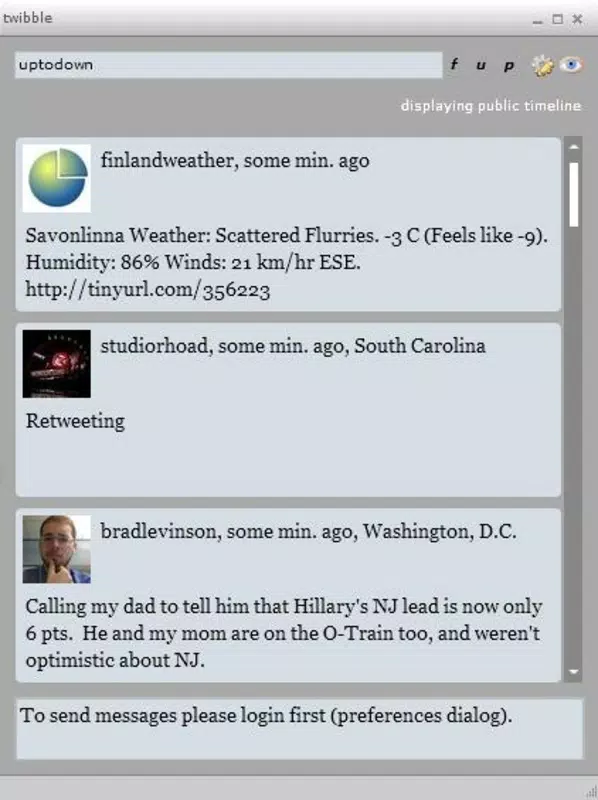
The interface of twibble desktop is designed with simplicity and efficiency in mind. It features a clean layout that prioritizes content visibility, allowing users to focus on their Twitter feed without clutter. The visual style is minimalistic, with a focus on functionality over decorative elements, which aligns with its productivity-oriented purpose.
Navigating through the app is intuitive, with logical flow between the feed, profiles, and settings. The coverflow-like effect adds a layer of interactivity that enhances user engagement without compromising usability. Although the developer did not list formal performance metrics, the app’s small file size of 1.8 MB suggests it is optimized for low-resource environments and should run smoothly on older or basic Windows systems.
Responsiveness is expected to be high given the app’s lightweight nature and direct integration with the desktop. Stability is likely maintained due to its long-standing presence, though users on modern Windows versions may experience compatibility challenges without official updates. The absence of reported crashes or bugs in public records indicates consistent reliability over time.
Platform Compatibility & Technical Requirements
twibble desktop is designed exclusively for the Windows platform. The application is compatible with Windows operating systems, though specific version requirements were not listed. The file size is 1.8 MB, which indicates a compact footprint suitable for systems with limited storage.
The software version is 1.0, suggesting it may be in a stable but potentially outdated release cycle. The developer did not specify minimum OS requirements, so users are advised to test compatibility on their systems. Although the app was released in 2008, it may still function on modern Windows versions through compatibility modes, though this is not guaranteed.
Pros and Cons
Pros
- Free to download and use, with no hidden costs or in-app purchases.
- Lightweight design with a small file size of 1.8 MB.
- Direct desktop access eliminates the need for browser-based Twitter use.
- Supports multiple Twitter account management for streamlined workflows.
- Customizable update frequency helps users control notification volume.
Cons
- Version 1.0 may lack support for modern Windows security and UI standards.
- Compatibility with newer operating systems is not confirmed.
- No official update history or developer support channels were provided.
- Interface may appear outdated compared to modern desktop applications.
- Specific technical requirements, such as OS version, were not disclosed.
FAQ
Is twibble desktop safe to download and install?
The app is free and has been in use since 2008. However, due to its age and lack of recent updates, users should scan the file with antivirus software before installation to ensure security.
Can I use twibble desktop on Windows 11?
While the app was released in 2008, it may run on Windows 11 through compatibility mode. Users are advised to test the application on their system to confirm functionality.
Does twibble desktop support Twitter’s latest features?
The app’s version and update history are not publicly documented. As such, it may not support newer Twitter features like threads, polls, or video sharing.
How do I install twibble desktop?
Download the application from a trusted source, extract the file if needed, and run the executable. No installation wizard is required, as the app appears to be portable.
Is twibble desktop regularly updated?
There is no public evidence of recent updates. The software version remains at 1.0, suggesting it may not receive ongoing development or security patches.
Final Thoughts
twibble desktop stands as a legacy tool that continues to serve users seeking a simple, free way to access Twitter from their desktop. Its ability to manage multiple accounts, customizable update intervals, and visually engaging interface offer tangible benefits for long-time Twitter users who value efficiency and minimalism. While its age raises concerns about compatibility and security, its lightweight nature and zero cost make it a viable option for those on older systems or with basic needs.
For users who prioritize speed, simplicity, and cost-free access to Twitter, twibble desktop remains a functional choice. It’s particularly valuable for individuals managing multiple identities without the complexity of modern social media platforms. Though not built for today’s standards, it delivers core functionality with reliability.
Download twibble desktop now


